BigBro Desktop App is Here: AI Coaching Inside Your Game
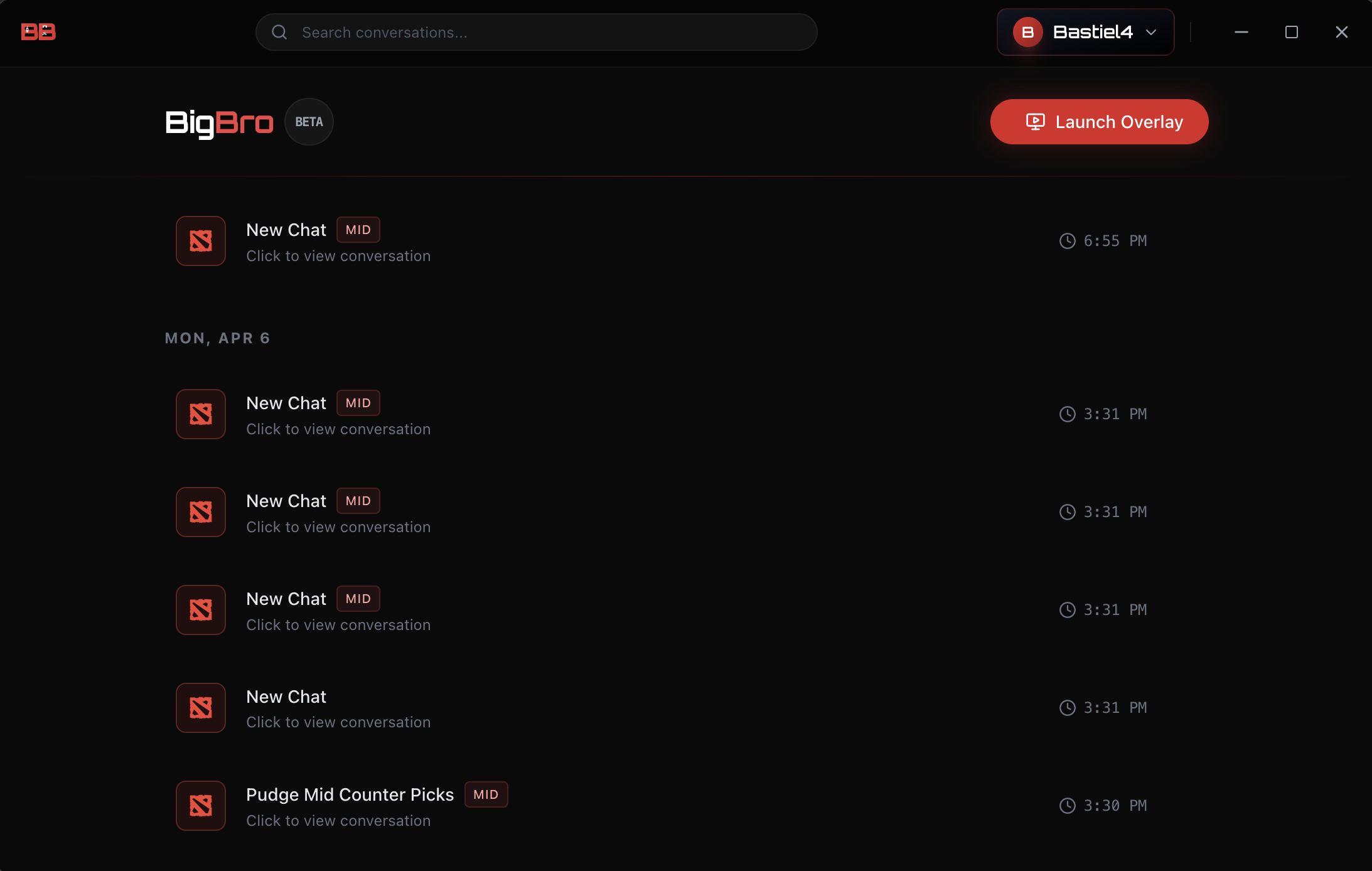
We just shipped something we've been working on for a while — the BigBro desktop app is now available for Mac and Windows.
If you've been using BigBro through the browser, you already know how the coaching works. The desktop app takes that same experience and puts it where it actually matters: right inside your game.
Why a Desktop App?
Here's the thing about alt-tabbing mid-match to check your browser: it breaks your flow. You lose sight of the map, you miss a gank, you forget what you were going to ask. We built the desktop app to solve that.
The app runs alongside your game. You don't leave. You don't switch windows. You just get coaching while you play.
The Game Overlay
This is the feature we're most excited about.
The BigBro overlay is a transparent, always-on-top window that sits over your game. It's click-through — meaning your mouse passes right through the empty areas to your game underneath. Only the chat and team panels are interactive.
- Toggle with Alt+T: Show or hide the overlay instantly, even in fullscreen
- Stays out of your way: Positioned on the right side of your screen, minimal footprint
- Click-through: Empty areas don't block your gameplay at all
It's like having a coach looking over your shoulder, except they only speak when you ask.
Global Hotkeys
No more typing mid-fight. The desktop app registers global hotkeys that work even when your game is in fullscreen:
- Alt+A: Quick-add an ally hero or champion
- Alt+E: Quick-add an enemy hero or champion
- Alt+X: Select your own hero
- Alt+T: Toggle the overlay on/off
You're in draft phase, you see the enemy pick Huskar — hit Alt+E, type "Huskar", and ask BigBro what to pick. All without leaving your game.
Team Composition Tracker
The overlay includes visual 5v5 team panels on each side of the window. You can see your allies and enemies at a glance, drag and drop to reorder, and search for heroes or champions with autocomplete.
This makes draft conversations way more natural. BigBro can see your full team context and give better recommendations.
The Dashboard
When you're not in a game, the dashboard gives you a full view of your coaching history:
- Search through past conversations
- Conversation management: Rename, delete, organize your sessions
- Quick access: Click any past conversation to load it right into the overlay
- Launch Overlay: One button to open the coaching overlay when you're ready to play
Same Price, Better Experience
The desktop app is included in your existing subscription. $3/month — same as the web chat. This isn't an upsell, it's an upgrade. If you're already a BigBro user, just download and sign in.
What's Coming Next
We're not done. Here's what we're building:
- Screen scanning: The AI reads your game state in real-time — no manual input needed
- Voice coaching: Talk to BigBro hands-free while you play
These features will be part of a premium tier when they're ready. For now, the desktop app with overlay, hotkeys, and team tracking is yours at no extra cost.
Download Now
- Download for Mac — macOS 11+ (Apple Silicon), ~181MB
- Download for Windows — Windows 10+, ~139MB
Windows users: you may see a security prompt on first install. Click "More info" then "Run anyway" — we're working on getting the app signed.
Or keep using BigBro in your browser — it's not going anywhere.
Let's reduce the friction and elevate the game.
— Kyle